





Your Complete Mobile Gateway to 777Strike: Instant Access, Premium Play, No App Store Wait
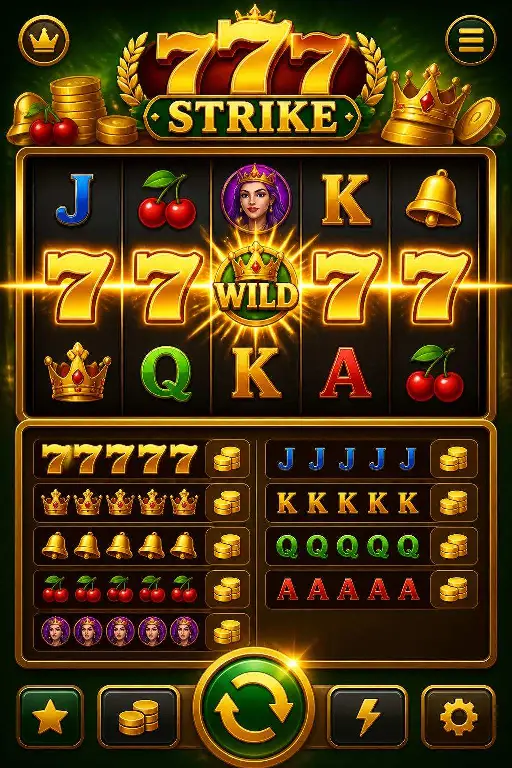
Welcome to 777Strike mobile gaming without compromise. While an official native application is not yet available through the App Store or Google Play, there is no reason to delay your premium casino experience. The solution is already here: a fully optimised web platform that installs directly onto your mobile device's home screen, delivering the exact same power, speed, and feature set as a traditional app—but faster, lighter, and ready today. Slots, table games, live dealers, bonuses, and payment tools are all at your fingertips through 777strike.store, transformed into a seamless, touch-friendly gaming environment that rivals any native competitor.
Understanding the Web App Install: App Power Without the App Store
A web app shortcut is a modern alternative to downloading from an app store. Instead of waiting for approval cycles or managing updates, you visit 777strike.store in your phone's browser and pin the experience to your home screen. The result is identical to tapping any native app icon—you see the 777Strike logo, tap once, and play instantly. Behind the scenes, 777Strike's responsive design automatically adapts to your screen size, touch gestures, and device capabilities. For practical purposes, it behaves and feels exactly like an application, except you control the update timing and there is no mandatory storage consumption from app-store overhead.
Why Install the 777Strike Shortcut Right Now
- One-Tap Launch: Your home screen becomes your casino lobby. No more typing URLs or searching bookmarks—tap 777Strike and play within seconds, every single time.
- Native App Look and Feel: Full-screen interface, custom icon, and seamless touch navigation make it indistinguishable from a traditional app, with none of the store approval delays.
- Minimal Storage Footprint: Unlike native apps that demand dozens of megabytes, the web shortcut uses almost no permanent storage. Your device stays fast and responsive.
- Complete Feature Parity: Every game, payment method, bonus claim, account history, and promotional tool available on desktop is immediately yours on mobile—no limitations, no watered-down experience.
- Future-Proof Transition: When an official 777Strike app eventually launches, your account, funds, progress, and preferences move seamlessly. Installing the shortcut today is not a compromise; it is a smart, flexible path to premium play right now.
Exclusive Mobile Bonuses at 777Strike
Mobile players enjoy dedicated promotions designed for on-the-go convenience and reward:
- Mobile Welcome Bonus: Receive a 100% deposit match up to 500 in bonus funds on your first mobile deposit, with a minimum deposit of 10 required. The bonus is credited instantly and carries standard 40x wagering terms on eligible slots.
- Weekly Mobile Free Spins: Every Monday, active mobile players receive 25 free spins on the selected game of the week, no deposit required. Free spins expire after 7 days; winnings are credited as bonus funds with 35x playthrough conditions.
- Mobile Leaderboard Rewards: Compete in monthly mobile leaderboards across slots and table games. Top 100 finishers earn cash prizes, free bets, and exclusive tournament invitations.
How to Install the 777Strike Shortcut on Your Device
iOS (iPhone and iPad via Safari)
- Open Safari and navigate to 777strike.store.
- Once the site loads fully, tap the Share button at the bottom of the screen (the square with an upward arrow).
- Scroll through the menu options and select Add to Home Screen.
- A preview window appears showing the 777Strike icon and name. Review it, then tap Add in the top-right corner.
- The shortcut is installed. Return to your home screen and you will see the 777Strike icon ready to launch with a single tap.
Android (via Chrome or Firefox)
- Open Chrome (or your preferred browser) and go to 777strike.store.
- Once the site is fully loaded, tap the three-dot menu button in the top-right corner.
- Select Add to Home Screen or Install App (exact wording varies by browser).
- A dialog box shows the 777Strike logo and name. Confirm by tapping Add or Install.
- The icon appears on your home screen. Tap it anytime to launch 777Strike directly into full-screen play mode.
Mobile Play on Smartphones vs. Tablets: Choose Your Screen
Smartphones: The pocket-sized convenience of 777Strike on your phone means gaming anywhere—during commutes, lunch breaks, or leisure moments. The touch interface is optimised for smaller screens, with intuitive swipe gestures and one-handed play on slots and quick table rounds. Spin reels, place bets, and claim bonuses with natural, fluid tap-and-drag motions. Your device stays responsive and the experience is tailored for speed and portability.
Tablets: Switch to a tablet and unlock the full cinema experience. The larger screen transforms live casino sessions into immersive encounters—watch dealers shuffle cards in stunning clarity, read chat interactions with ease, and manage complex betting layouts across blackjack or roulette tables. Tablet mode is the sweet spot for extended sessions, detailed game exploration, and tournaments where screen real estate enhances your edge and enjoyment.
The Smart Choice: Web App Installation Is Your Winning Move Today
Installing the 777Strike shortcut to your home screen is not a temporary workaround or a second-best option. It is the modern, intelligent way to access world-class mobile gaming without delays, without bloat, and without compromise. You gain the speed and convenience of an app, the reliability of a web platform, and the guarantee that when an official 777Strike native app arrives, your progress, funds, and account integrity move with you seamlessly. Visit 777strike.store now, follow the installation steps for your device, and experience the difference. Full access to slots, live dealers, table games, and exclusive mobile bonuses is waiting on your home screen. Play smarter. Play faster. Play 777Strike.